Posted on: October 2, 2024

Babas344
Владелец игрыИгр: 1 Отзывов: 1
The best game ever
The best
вам это показалось полезным?
© 2021 THQ Nordic AB, Sweden. Developed by Studio 2 Software GmbH. Sacred, THQ and their respective logos are trademarks and/or registered trademarks of THQ Nordic AB. All rights reserved. All other trademarks, logos and copyrights are property of their respective owners.
Game length provided by HowLongToBeat
Posted on: October 2, 2024
Babas344
Владелец игрыИгр: 1 Отзывов: 1
The best game ever
The best
вам это показалось полезным?
Posted on: October 5, 2024

Verina_Husband
Владелец игрыИгр: 29 Отзывов: 2
Love it!
Classic RPG game that I've had for years and I still love playing it.
вам это показалось полезным?
Posted on: October 10, 2024

tsupakambra8
Владелец игрыИгр: 141 Отзывов: 2
All time classic!
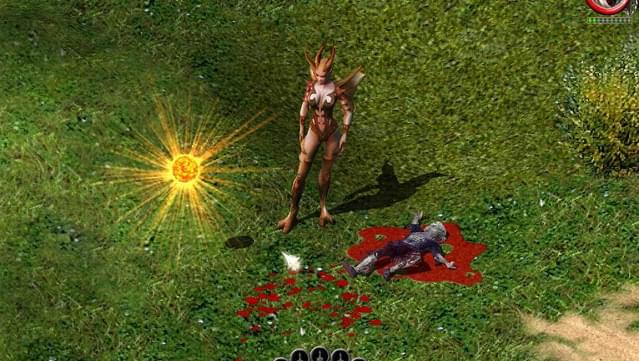
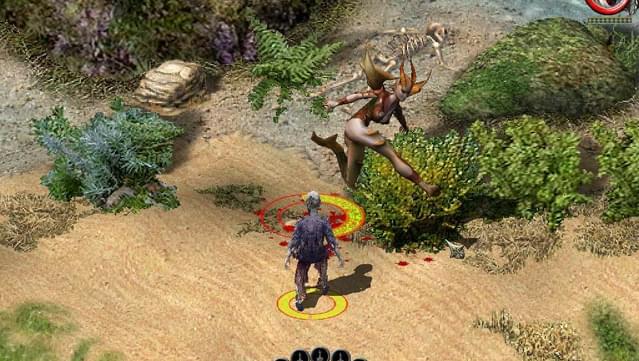
One of the best ARPGs out there! If you like games like Diablo or Titan Quest just buy it. It has a well designed world, interesting classes and the combat is very satisfying. I had enjoyed it for hundred of hours back when it was first released, and when I saw it on GOG I bought it again to remember the good old days. Graphics may seem a little outdated nowadays, but the gameplay is solid
вам это показалось полезным?
Edited on: November 28, 2025
Posted on: November 27, 2025
imalexdc
Владелец игрыИгр: 120 Отзывов: 1
To run at high resolutions
For an easy and reliable way to run the Vanilla game at higher resolutions, just Google : "Sacred Gold (Underworld) - Guide to resolutions higher than 1080p without DgVodoo", it's a darkmatter forum post (seems to be a dedicated Sacred forum). Follow the instructions on that forum post. Very easy and it works. Even in superultrawide, (32:9). Please note : The UI will get smaller and smaller the higher the resolution is, but it will have the correct aspect ratio. For resolutions higher than 1080p, the class selection screen will have vertical lines when you create a new hero, otherwise everything is fine. Once installed using the instructions on that forum post, follow the steps below for additionnal tweaks. **To remove the 60 fps FPS cap with PureHD installed** 1. Open the file "setting.cfg" in your Sacred Gold folder, using notepad. 2. Find "PHD_FPS_LIMIT : 1", set it to 0. 3. Save, and voila. **To remove the screen flickering with PureHD installed** 1. Open the file "setting.cfg" in your Sacred Gold folder, using notepad. 2. Find "FULLSCREEN : 1", set it to 0. 3. Save, and voila.
вам это показалось полезным?
Posted on: November 30, 2025
raveneau.laurent_6
Владелец игрыИгр: 5 Отзывов: 1
Sacred Game
Good old Game worth it. Nostalgia
вам это показалось полезным?
Что-то пошло не так. Попробуйте обновить страницу.
Отзывов по данным критериям не существует
Error loading patrons. Please refresh the page and try again.